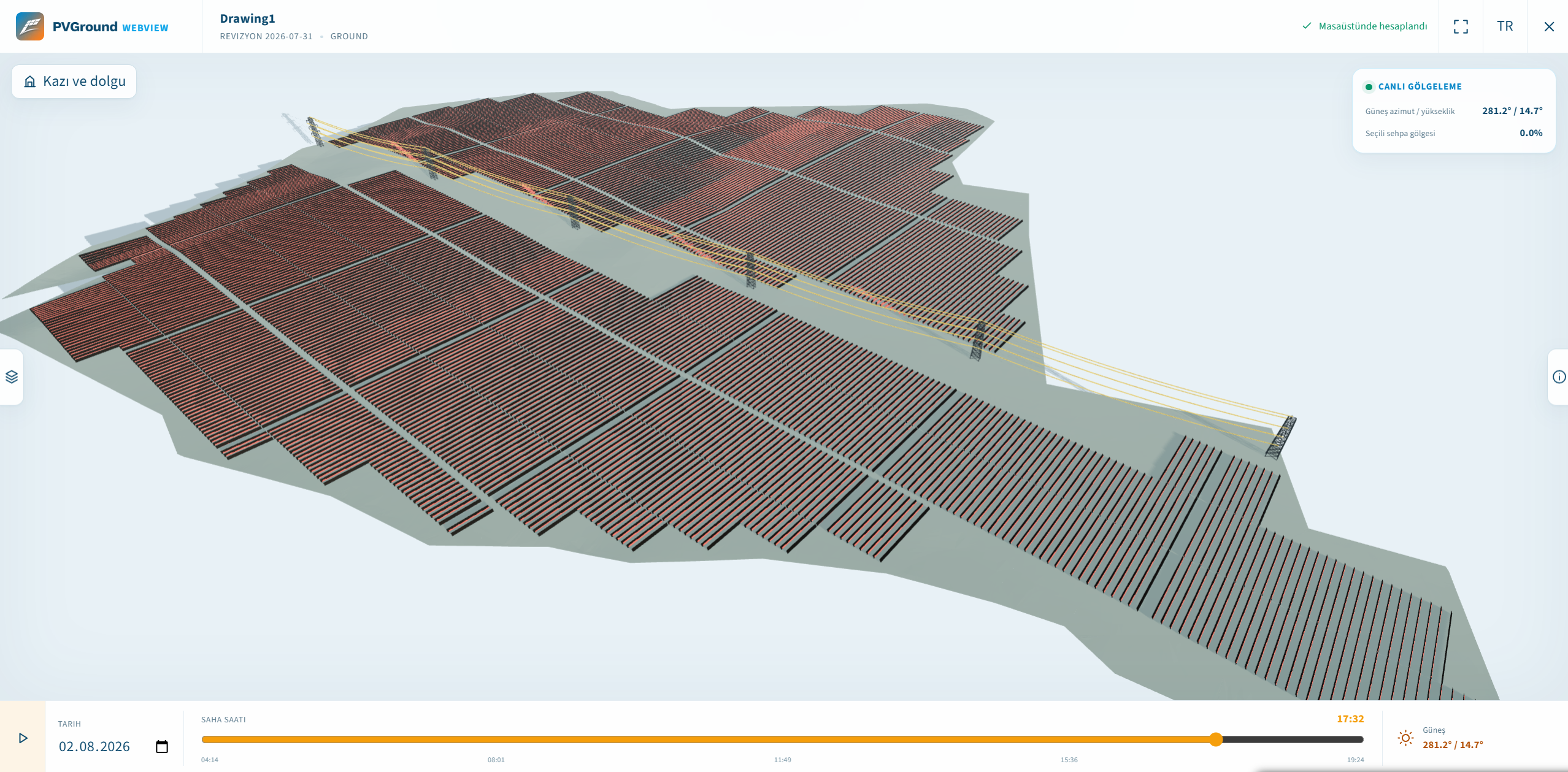
The engineering of a solar plant is finished inside AutoCAD, with PVGround. But how do you show that project to an investor, an EPC, or a site crew? The classic answer was sending a DWG: it demands a licence, an installation, and it hands your engineering file to the other side. PVGround WebView answers the same question with one short code. This article covers both the sharing experience and the engineering decisions behind it.
Step 1
The Problem: Showing a Project Should Not Mean Handing Over the Drawing
Sharing utility-scale PV projects used to break in three places. First, the licence and installation barrier: not everyone who needs to see the project has access to AutoCAD, and "please install this software first" is not a sentence you can say in an investor meeting. Second, the drawing changing hands: sending a DWG means losing control of months of engineering work. Third, mobile access: reviewing a project on a phone or tablet in the field was simply not possible in the desktop CAD world.
The goal was clear: show the fully engineered project — without giving away the drawing, without requiring any installation, on any device, and at CAD-grade accuracy.
Barriers of DWG sharing: licences, installations, file transfer
Step 2
The Solution: PVW-XXXX-XXXX — File-Free, Token-First Sharing
The entire sharing flow runs through a single key. The engineer finishes the project inside AutoCAD and generates a share token with one click. Progress is visible throughout and the operation can be cancelled; if anything goes wrong, the process resumes without repeating the shading and yield calculations. The generated PVW-XXXX-XXXX code is copied to the clipboard with one tap.
The code travels by e-mail, by message, even read out over the phone; the DWG stays with the engineer. The recipient types the token at webview.pvground.com and the project opens in 3D in the browser. A phone, a tablet, or a laptop without AutoCAD is enough. The share stays valid for 90 days and can be revoked earlier at any time.
All the recipient ever sees is a token field: no account creation, no file upload, no plugin installation.
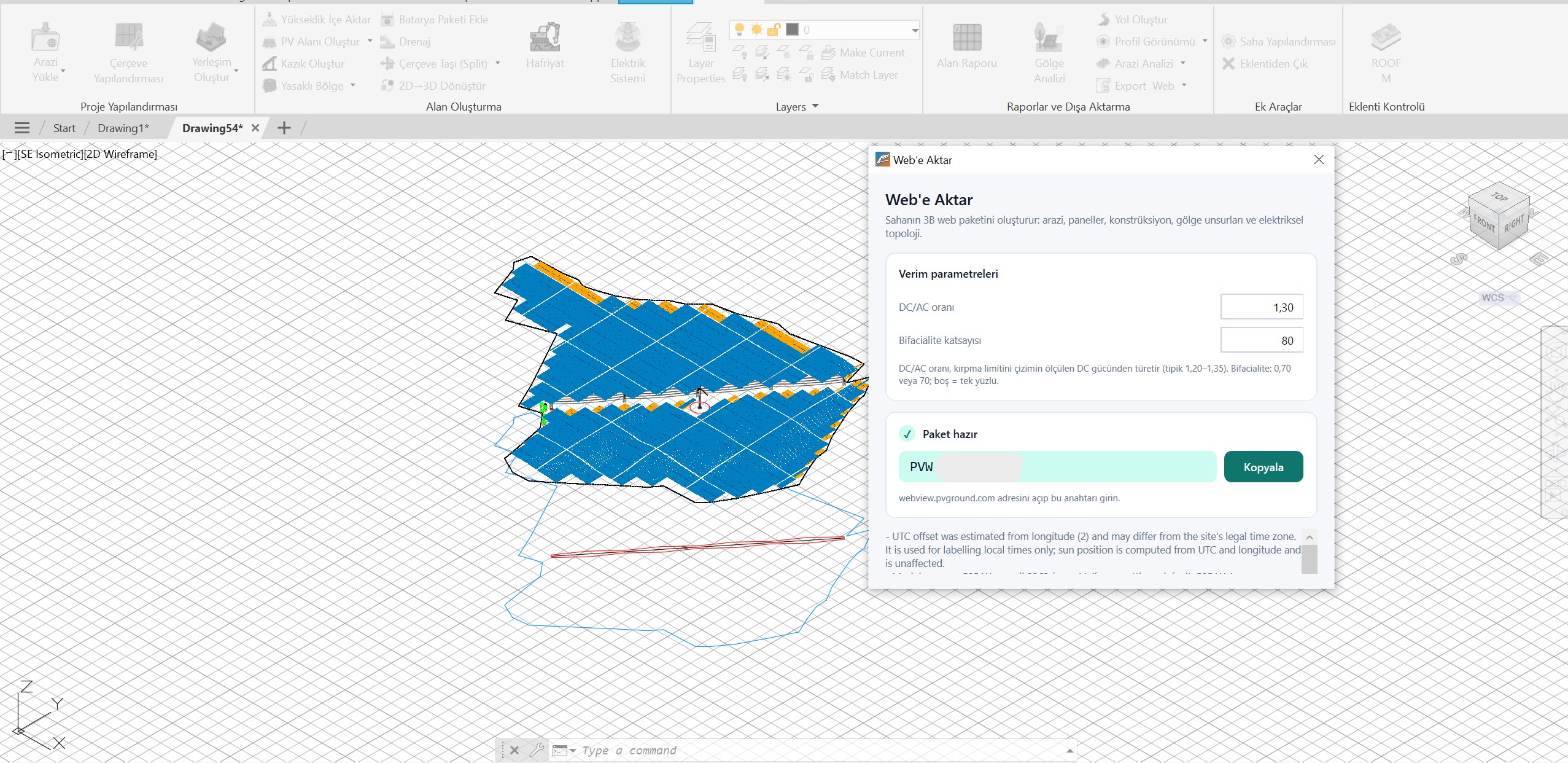
One-click share token generation inside AutoCAD
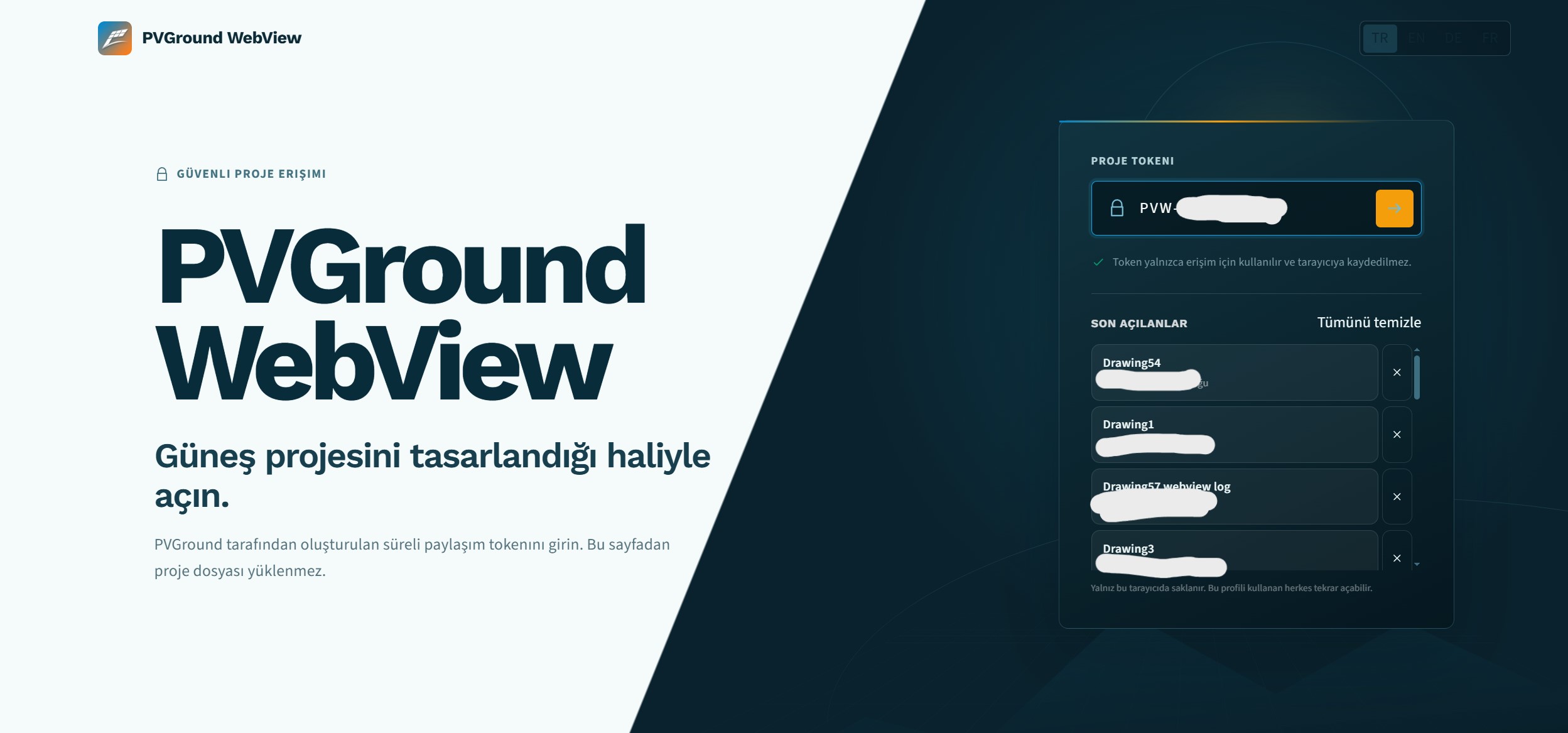
Entering the token on the WebView landing screen
Step 3
Engineering Fidelity: The Scene in the Browser Is the Project Itself
The simpler the token experience, the denser the engineering behind it. The first challenge is precision: on a utility-scale site, panels must not drift and rows must not warp when the project opens in a browser. WebView is built to preserve CAD-grade positioning, so racks sit in the browser exactly where they sit in AutoCAD — even across a site kilometres wide.
The second challenge is rebuilding the scene faithfully. The terrain arrives with its real topography. Racks and modules stand with their real gaps: module spacing, motor gaps, joints, and end clearances are computed on the desktop and carried into the scene as-is; nothing is recalculated in the browser, so nothing can diverge. Piles and structure come with their sections, shading objects with the exact geometry used in the shading calculation, and the electrical infrastructure — transformers, inverters, strings, and cable routes — lives on its own layer. Trackers rotate through their real tracking angles across the day.
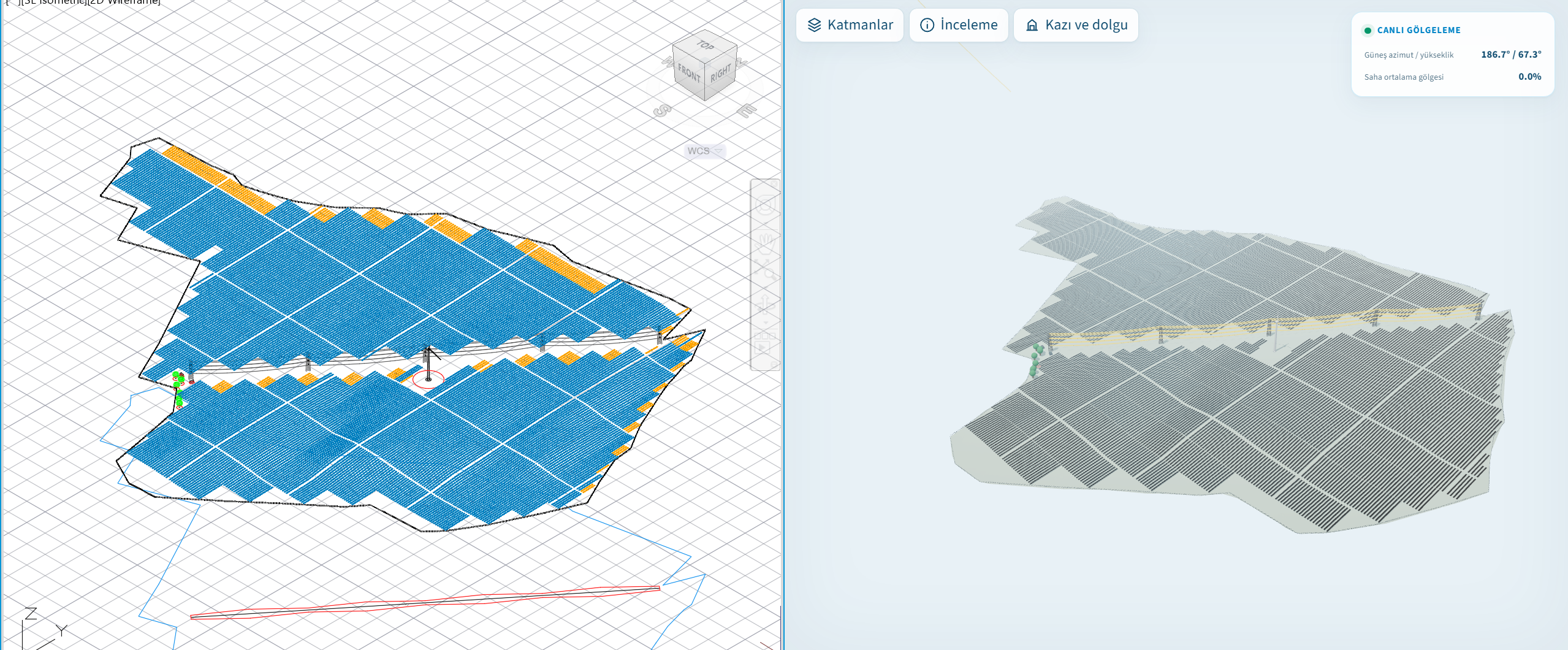
Each of the seven layers toggles independently; the shading heat map is a layer of its own. Pick a date, drag the time slider, and shadows move in real time within the daylight window.
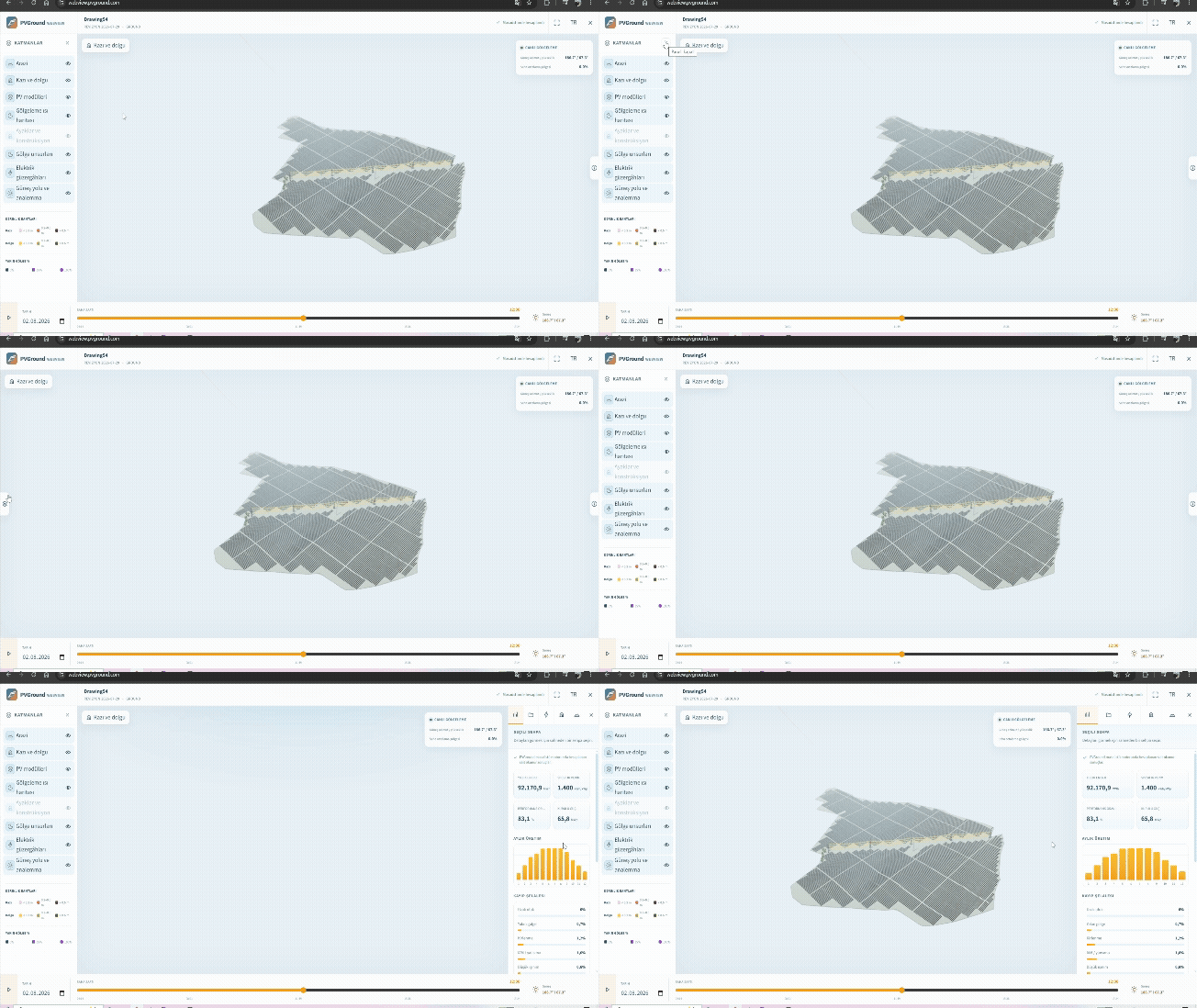
WebView layer panel: toggling layers on and off
GIFTracker rows following the sun
MP4Step 4
Cut & Fill and Electrical: The Language of the Decision Meeting
Earthworks are among the most expensive line items in an investment decision, and they are hard to explain with two-dimensional elevation maps. In WebView the terrain carries two elevations at once — the original ground and the final design grade — and the transition plays as a smooth animation.
The transformation does not happen everywhere at once: like an advancing work front, the excavation sweeps across the site from one end to the other. The investor watches the "where do the machines enter and where do they go" story as if standing on site. A colour-banded cut-and-fill map and live volume totals per PV area come along; click any point on the ground to compare the original and final grades.
Switch on the electrical layer and transformers, inverters, and cable routes read clearly over the scene; click a device to inspect its identity and connections. The Project, Topology, and Construction tabs keep device, string, and cable totals ready.
Cut-and-fill animation: from original terrain to final grade
MP4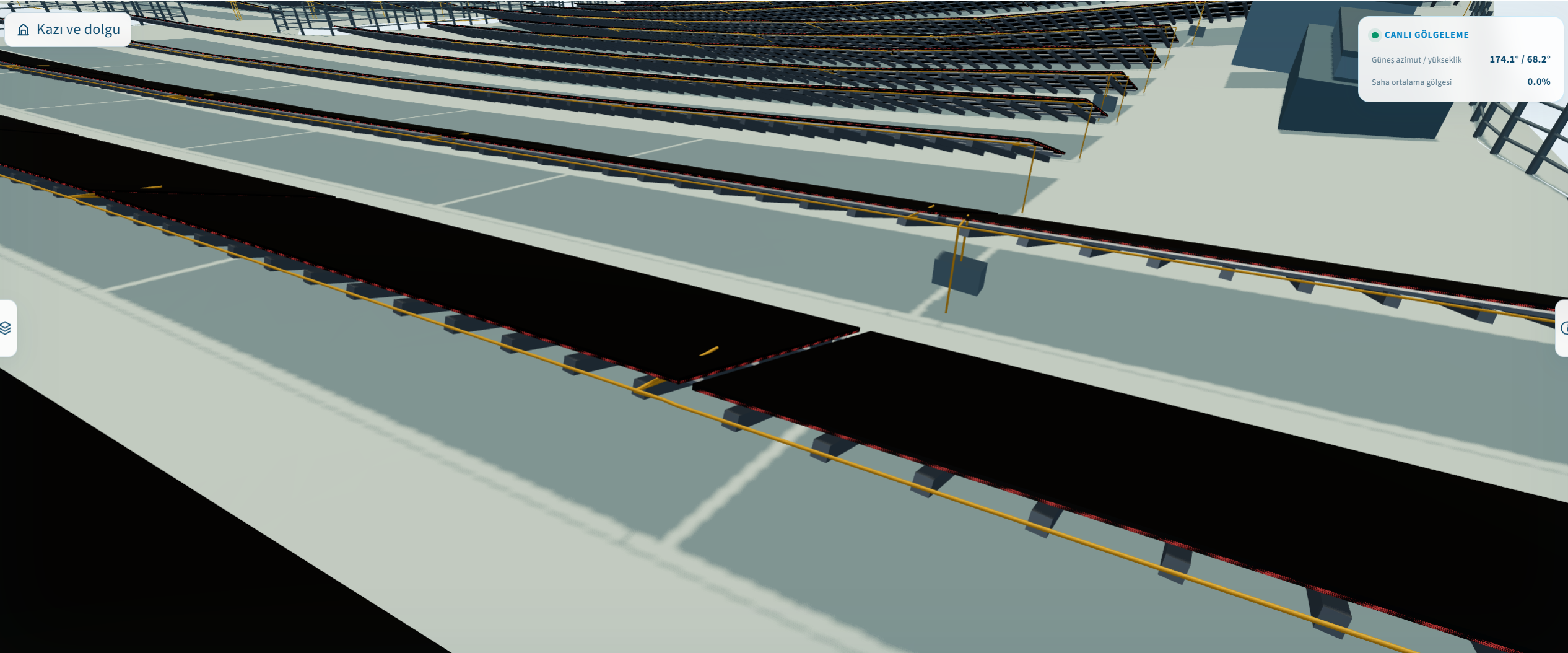
Electrical layer: transformers, inverters and cable routes
Step 5
Security and Performance on Large Sites
Access begins and ends with the token. The token is the sole authority; no other credential is ever shared with the recipient. What is shared is not a DWG — it is a read-only project scene built for viewing. The drawing cannot be downloaded and the scene cannot be modified. Project data will not open unless it passes integrity checks. The viewer is closed to search engines. Shares expire automatically after 90 days and can be revoked earlier.
On the performance side, viewing is specially optimised so a site with thousands of racks stays smooth in the browser — even on a phone.
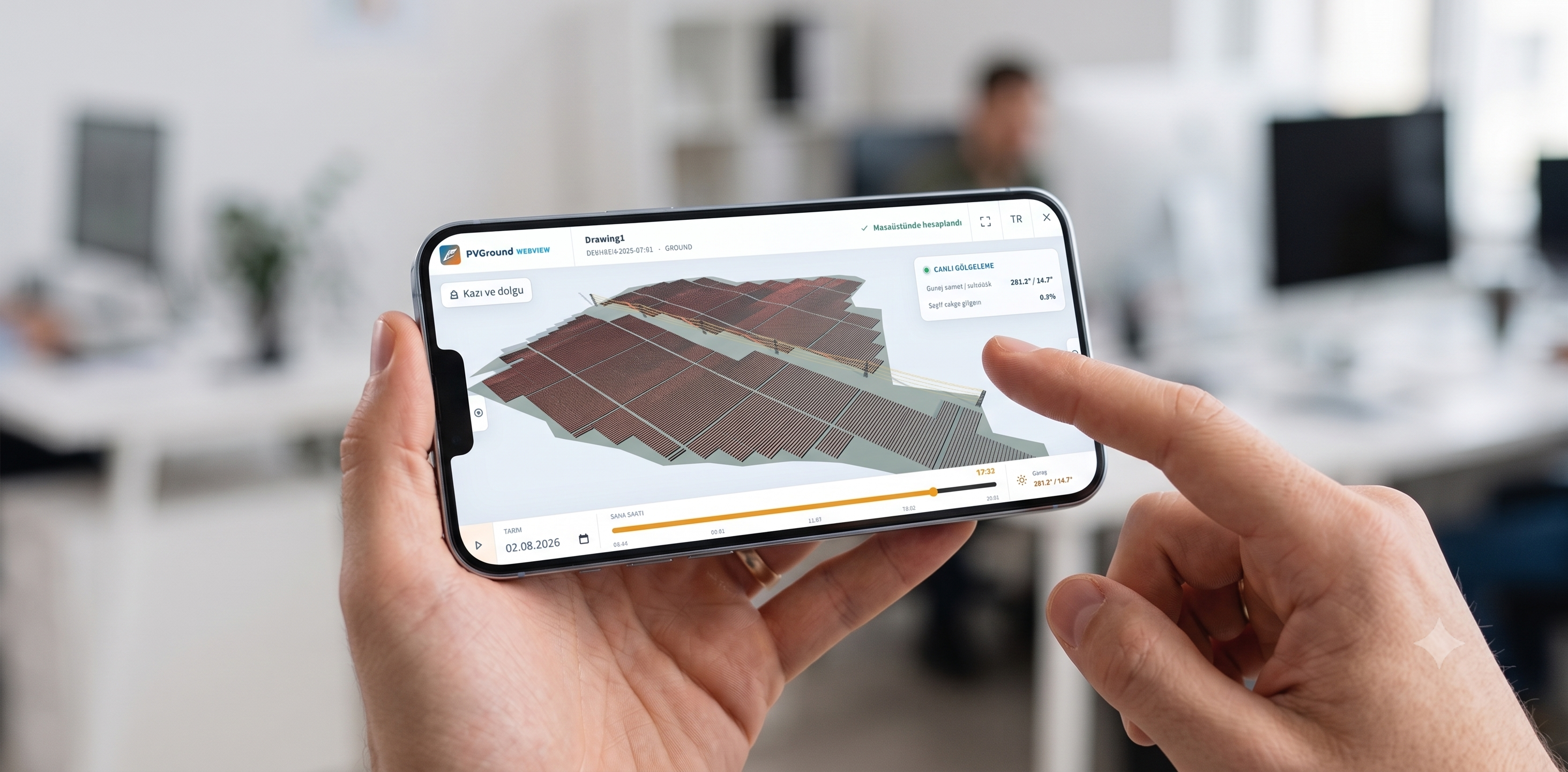
A WebView project open on a phone
Conclusion: Sharing Is No Longer an Engineering Risk
With WebView, the recipient no longer needs AutoCAD, a plugin, or a licence to see the project. The drawing file never changes hands under any scenario; the only thing shared is a token. Because the shading and yield figures are exactly the values computed on the desktop, the "which number is correct" debate disappears from presentations. And the cut-and-fill story turned from an elevation map into a playable 3D narrative.
What Token-Based Sharing Means in Practice
What one short code delivers to the engineer, the investor, and the site crew:
- Control for the engineer: the DWG never changes hands, shares are limited to 90 days, and can be revoked at any moment.
- Speed for the investor: no installation in the meeting; type the token, the project opens, the decision gets discussed.
- Access for the site crew: real geometry, layers, and the cut-and-fill story on phones and tablets.
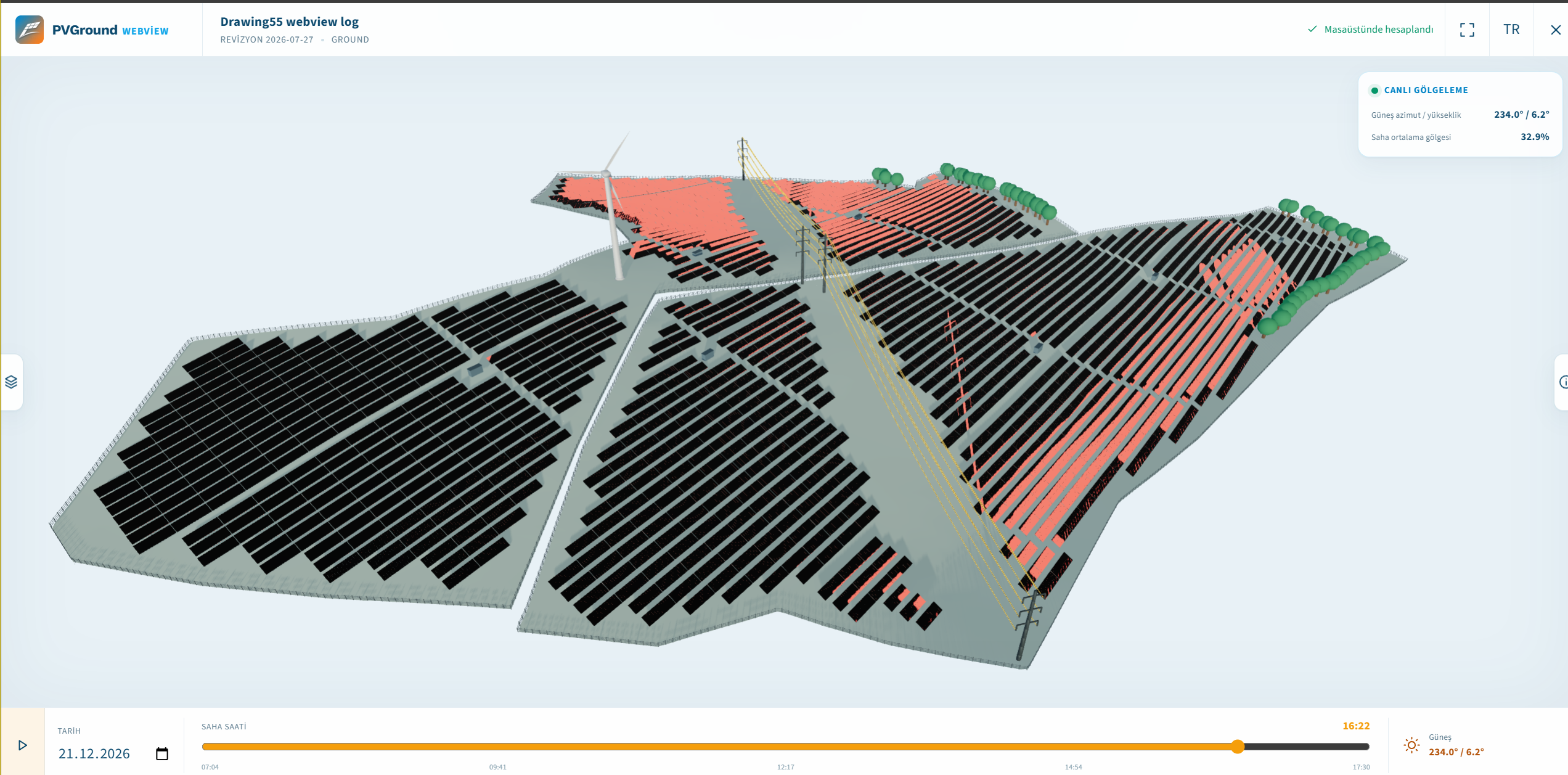
Overview of a utility-scale PV project open in WebView
Take the design where it needs to go: share your project with a single token at webview.pvground.com. For product details, visit pvground.com/products/webview or request a demo.